WordPress Coding Standards - How do they help build better projects?
Explore how WordPress Coding Standards improve performance, security, and compatibility by catching risky code patterns before they reach production.
Nobody worries about a bracket being off by one line. They lose sleep when a WordPress site slows down, an AJAX endpoint trusts bad input, or a small shortcut causes an outage during traffic spikes. That is the real job here - keep the site fast, safe, and usable when it matters.
We use WordPress Coding Standards for that reason. Yes, they help code stay readable. Nice bonus. The bigger win is that they catch the decisions that quietly add risk until the site starts costing money. Performance problems, security gaps, and compatibility issues are a lot more expensive than arguing about style.
How do WordPress Coding Standards improve code overall quality?
A lot of teams treat coding standards like a formatting checklist. We think that misses the point. In real projects, good standards do more than clean up spacing and naming. They flag patterns that tend to cause trouble later, especially in growing systems. That matters because most production issues start as “fine for now” decisions.
A query works because there are only 10 posts. A system trusts user input because the field looks numeric in the browser. A native PHP function gets used because it is quick and familiar. Then the project grows, traffic arrives, other developers join, and those little shortcuts turn into real problems.
WordPress Coding Standards stop that cycle early. They force the specific rules while the code is still in the development process, which is the cheapest time to fix it.
How to improve WordPress performance with WordPress Coding Standards?
One of the fastest ways to hurt a WordPress site is to run heavy get_posts() calls that pull large result sets and lean hard on meta_query filters. Developers do this all the time because it works at first, so it feels harmless. Then the content grows, the database gets busy, and the same query starts slowing everything down.
We saw this with one of our biggest clients. We inherited a WordPress project that had been built fast. It worked fine until the platform started handling around 1,000 new posts per day and peak traffic hit about 5,000 users per hour. Under normal load, pages took about 1.5 to 2 seconds to load. During peak hours, response times often climbed to around 5 seconds, all because of inefficient queries.
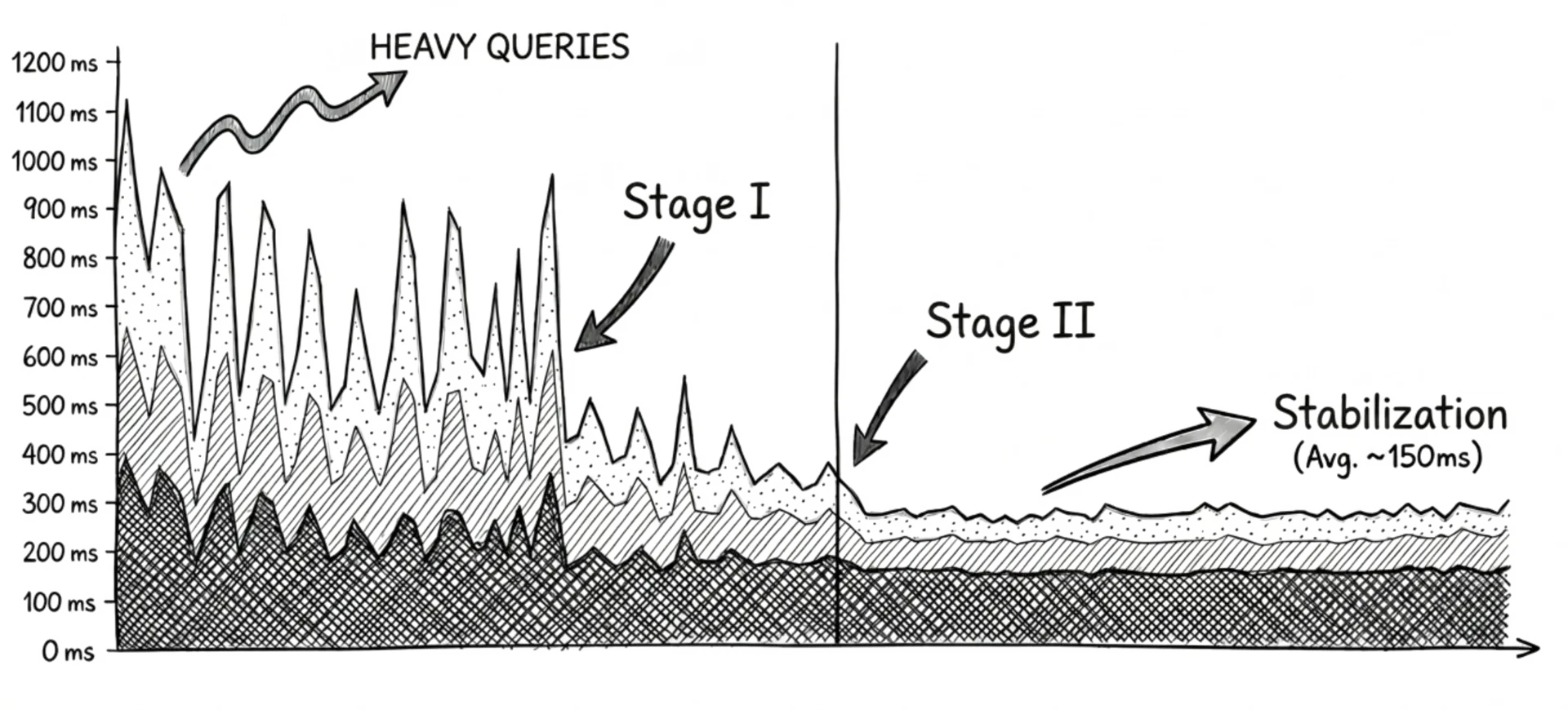
Our team made performance-focused changes that the standards flagged, and the application got down to around 150 ms over the long term. More importantly, once the standards became part of the process, every new feature was checked against the same class of problem. Warnings stopped being noise and became early signals.
That is why we pay attention when standards flag a huge posts_per_page value or a meta_query that needs a second look. Technically, those are warnings. Practically, they are the code saying, “Do not merge this on autopilot.”
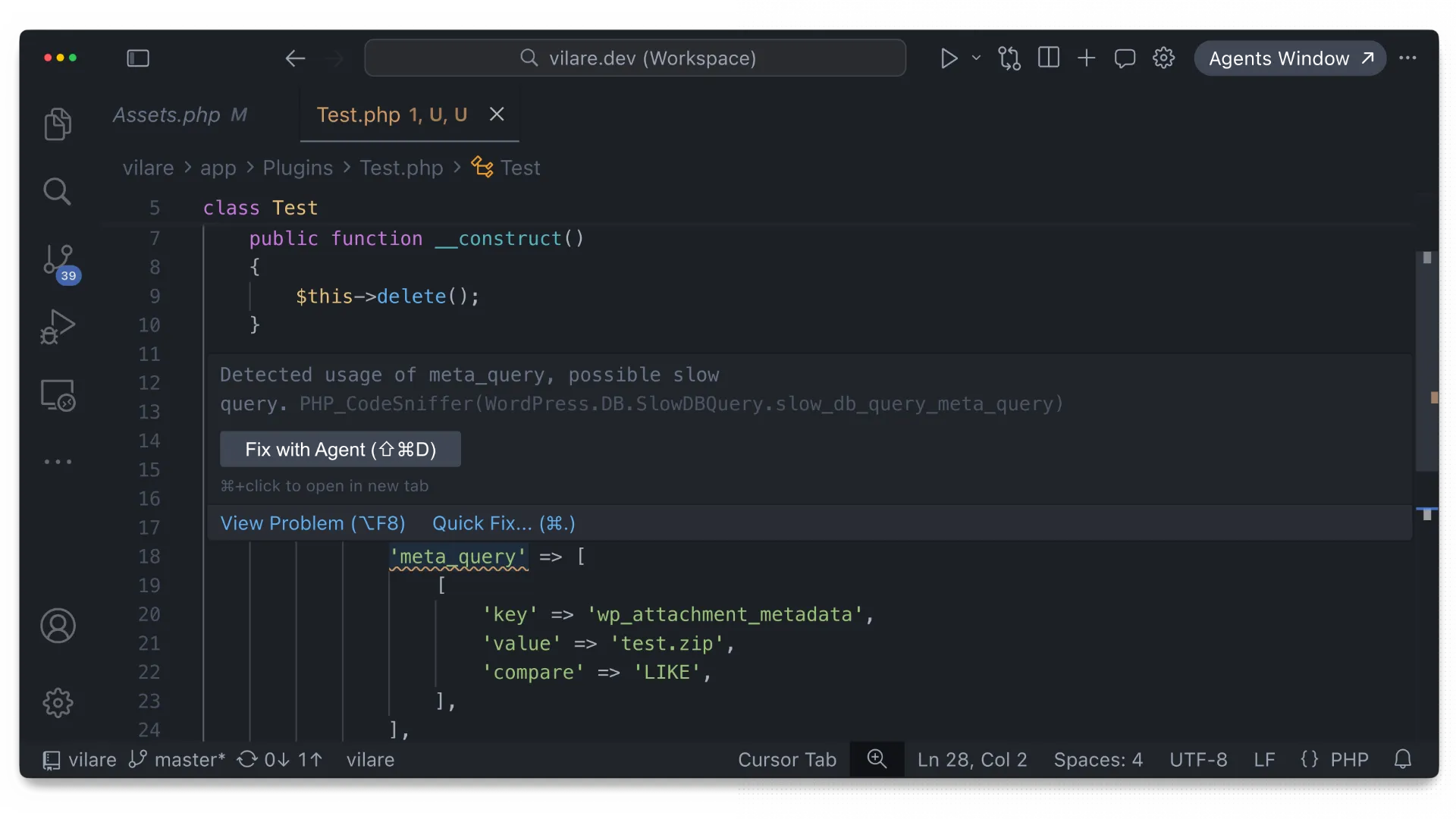
Our rule is simple: no errors, and no warnings without a reason. If code triggers a warning, someone needs to explain why. Most of the time, the better answer is to change the approach, like adding a pagination rather than loading everything at once.
How to improve WordPress security with WordPress Coding Standards?
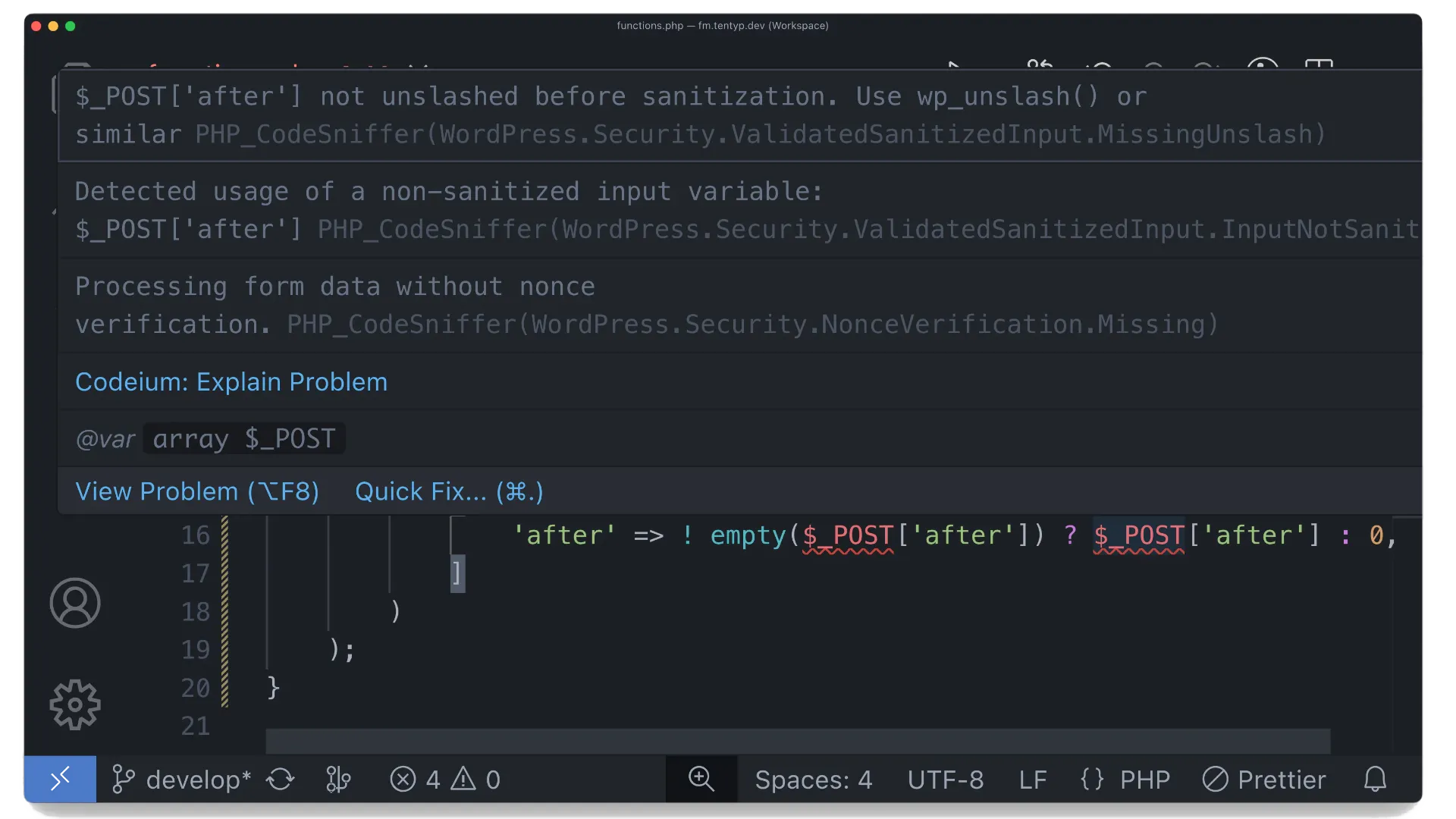
If a form or AJAX handler accepts user input, we treat that input as unsafe until proven otherwise. Not because every user is bad. Because the internet is the internet. A field that looks numeric in the browser does not mean its value is numeric for the server. If the backend trusts raw $_POST data, the project is one careless assumption away from a security issue. Why does this matter?
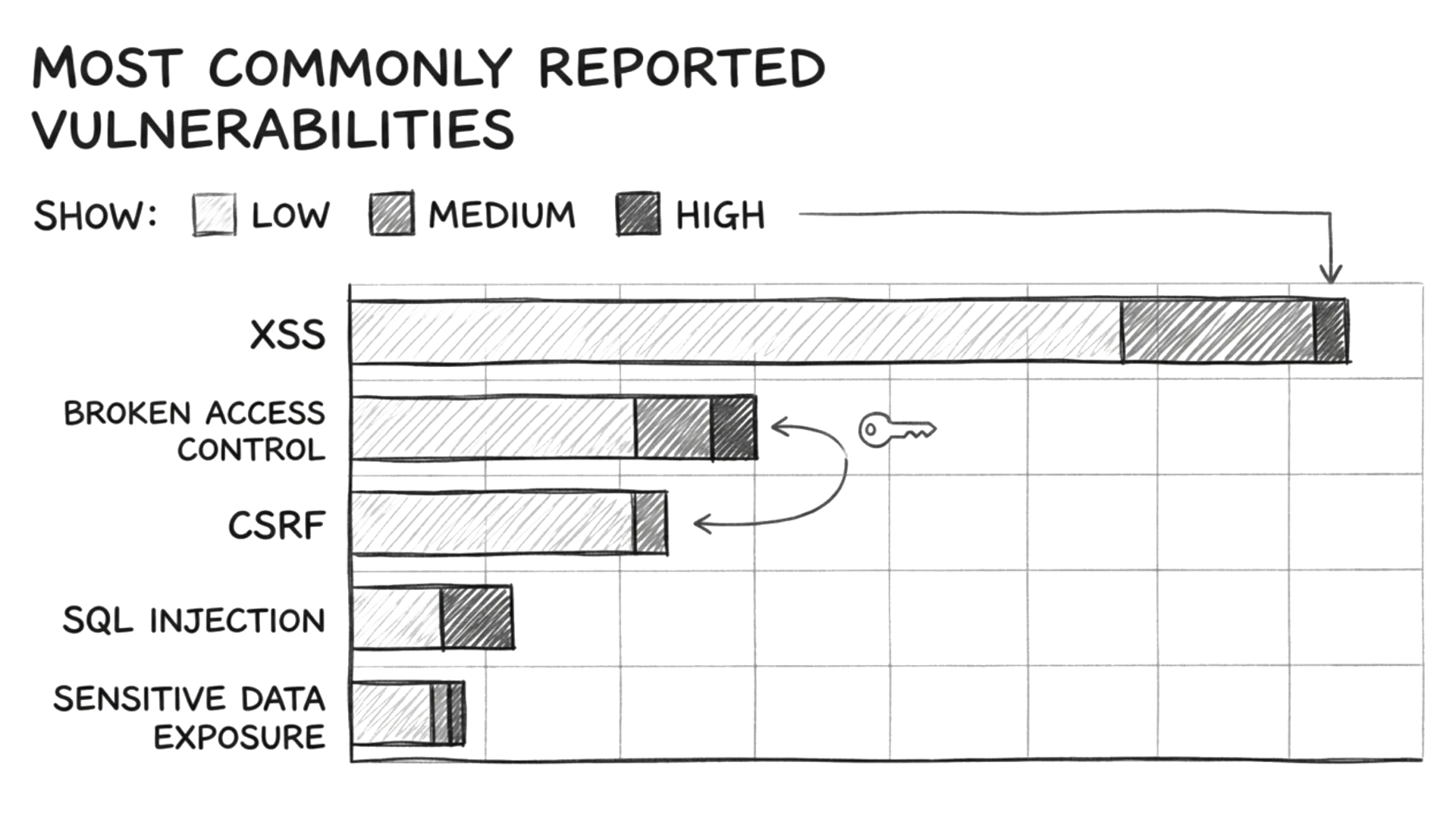
Patchstack’s State of WordPress Security in 2025 report found that Cross-Site Scripting, or XSS, stayed the most commonly reported vulnerability type in the WordPress ecosystem, making up almost half of all new vulnerability entries.
XSS can happen when user input is accepted, stored, or shown on a page without proper sanitization, validation, and escaping. For example, a contact form might expect a simple label like First Name, but an attacker could send a script instead. If that value gets saved and later shown in an admin panel or on the frontend without sanitization and escaping, the server or browser may run the attacker’s code.
This is where WordPress Coding Standards earn their keep in our security process. They catch unsanitized input and push developers to stop and handle it before the code ships. That is the kind of friction we want. In most cases, user values should be sanitized, validated, cast, or all three. The good version of this code is not complicated. Small change, much lower risk. We will take that trade every time.
How to improve WordPress compatibility with WordPress Coding Standards?
WordPress core recommendations change, preferred APIs shift, and the community learns which patterns age badly. No developer keeps all of that in their head every day. That is normal. It is also why automated standards help.
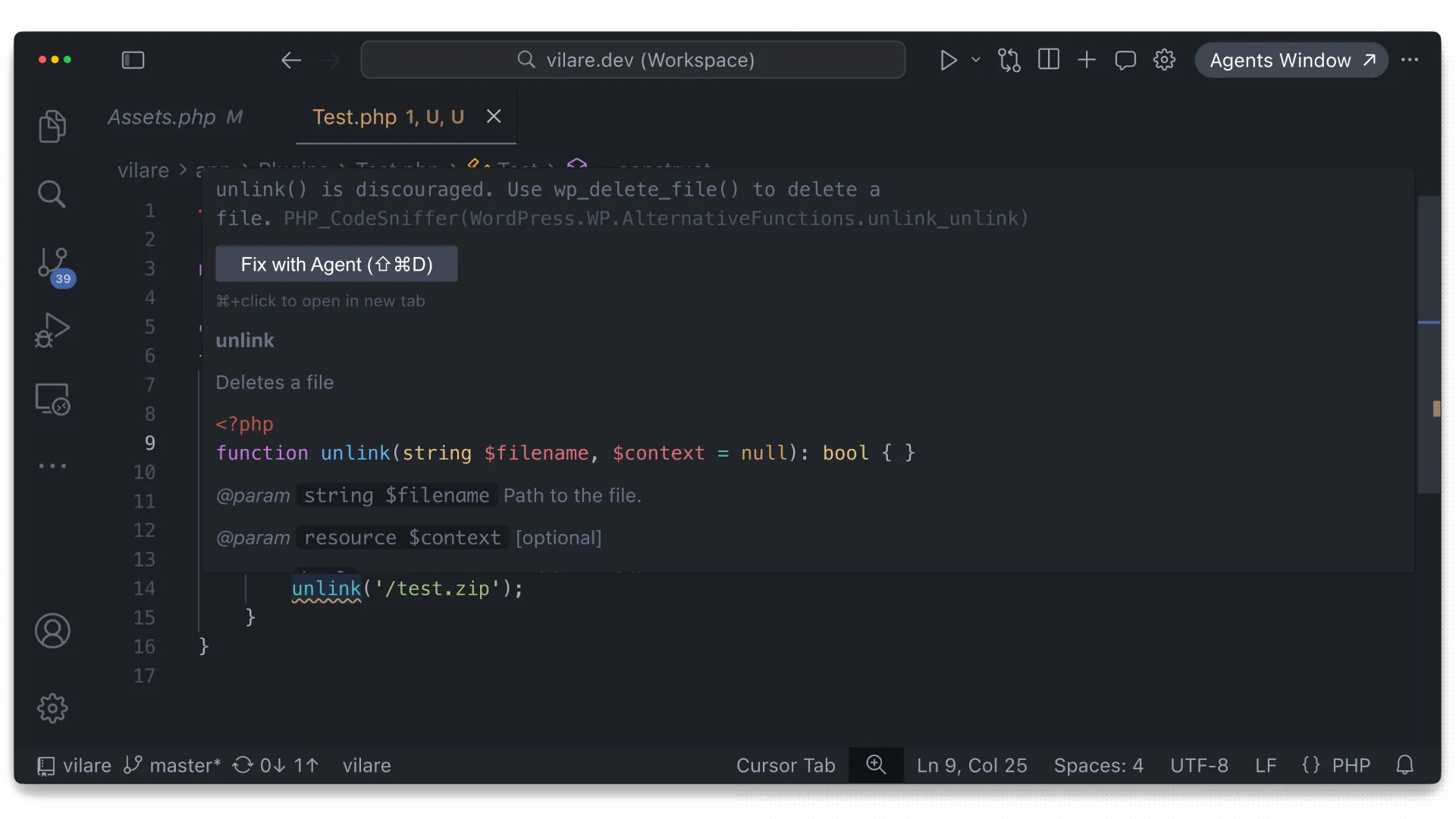
A simple example is file deletion. Calling PHP’s unlink() directly works, but WordPress provides wp_delete_file() for this. Using the WordPress-native function keeps the code aligned with platform expectations and makes behavior easier to manage. That may sound minor, but compatibility issues are usually made of minor things. One shortcut is fine. Fifty shortcuts build a codebase that fights the platform.
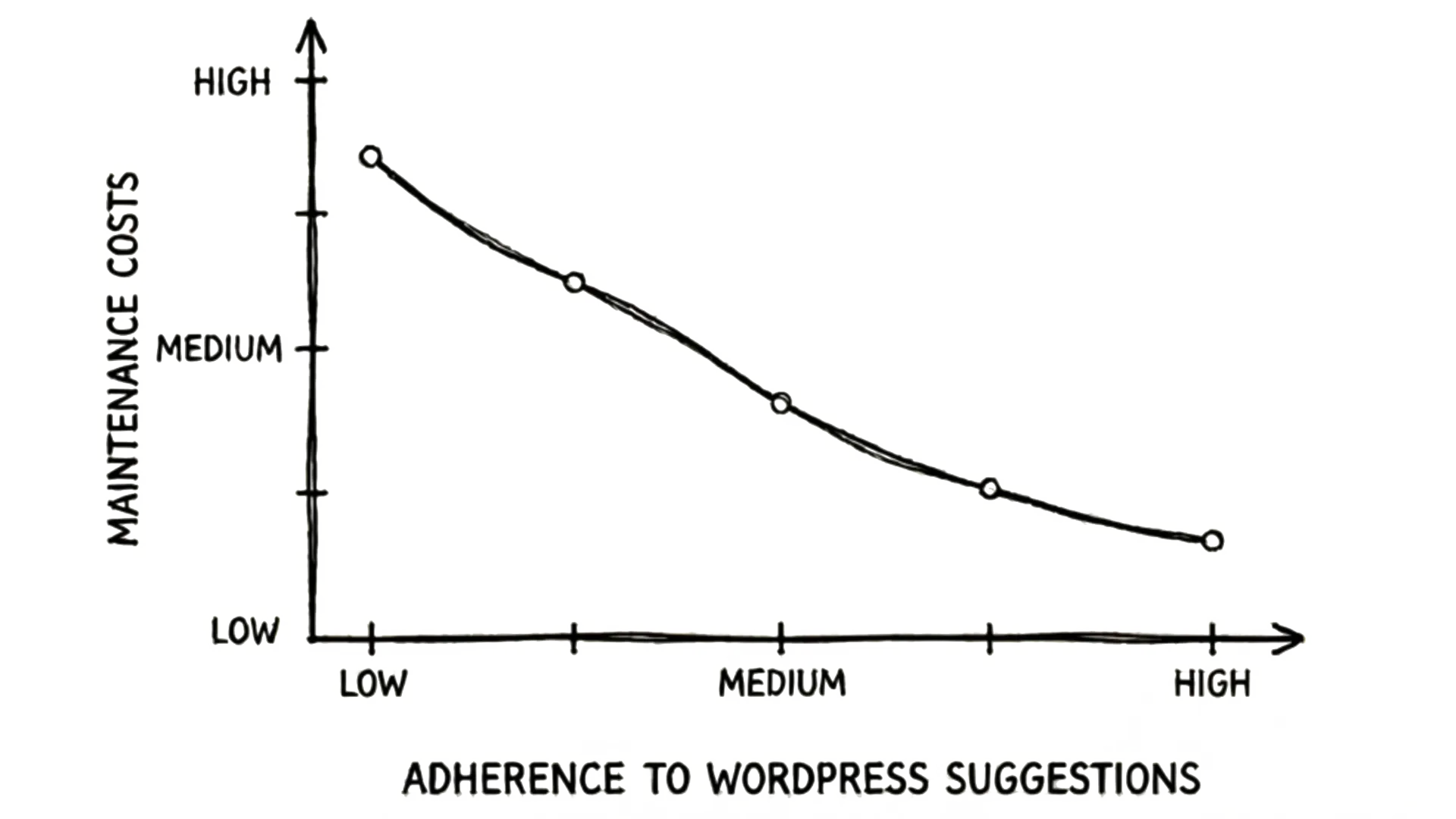
We have seen this in maintenance work a lot. A client once asked why a WordPress update needed several hours of developer time when it looked like “just one click.” The site had a custom theme, several plugins, and a few older pieces of code using outdated patterns. The update itself was easy, but the problem was compatibility.
One small change exposed conflicts in file handling, admin behavior, and plugin hooks. The site needed testing and fixes before it could safely go live. Coding standards help prevent that drift by flagging discouraged patterns before they spread.
Why is team response to WordPress Coding Standards so important?
Adding WordPress Coding Standards to a project is not the hard part. You install the package with Composer, configure PHPCS to use the WordPress ruleset, and run it against the code. Done.
The more important step is deciding how your team responds to what it finds. If standards only produce reports nobody acts on, they are decoration. The value shows up when the team uses them to reject weak patterns early and keep the codebase healthy. If the rules complain, we assume there is something worth reviewing. Sometimes there is a valid exception. Fine. But exceptions should be clear, rare, and backed by real reasoning, not habit or laziness.
That changes the whole conversation. Instead of arguing about preferences for the hundredth time, the team focuses on the decisions that affect delivery risk. Are we creating a bottleneck? Are we skipping sanitization? Are we ignoring a safer WordPress-native option?
Summary
WordPress Coding Standards are worth adopting because they help prevent slower sites, weaker security, and avoidable compatibility problems. Clean-looking code is nice. Code that holds up under pressure is better.
If you want help setting up WPCS, tuning the rules for your team, or reviewing a WordPress codebase that has collected a few too many “it worked at the time” decisions, talk to us. We like fixing that mess before it gets expensive.