Why we migrated coditive.com from WordPress to Astro: a case study
We moved coditive.com from WordPress to Astro: Markdown in Git, zero JS by default, no cookies, and pages AI agents can read. Here is why and what it cost.
We have been building WordPress sites for over 15 years, and for most of that time our own website ran on WordPress too. This spring we replaced it with a static site built in Astro, where every page is a Markdown file in a Git repository.
This post is the story of that WordPress to Astro migration: why we did it, what the new stack looks like, what we gave up, and when we would not recommend the same move. If you are wondering whether it makes sense for your own site, here is the short version: it is worth a look if your site is mostly content and the people who edit it are open to a new way of working. That could mean managing the content by talking to an AI tool like Claude, or just editing it in a simple content editor. If they publish from wp-admin every day, or your business runs on WooCommerce, keep WordPress.
The site we started with
I want to be clear about one thing first: the old site was not bad. It ran on a custom theme built on Sage from Roots, with 50 Blade templates, Advanced Custom Fields and Yoast SEO. We had our own blocks plugin with 18 custom blocks and components, complete with its own Tailwind and Vite build.
It was stable, and nobody was complaining about downtime or speed.
WordPress was not the problem. The way we wanted to work with content had drifted away from the tool.
The starting point was content management, not performance
Around 80% of our team are developers. For a developer, the natural place to keep a document is a simple text file, and the natural format is Markdown. Our internal docs, READMEs and client notes are already text files, and more and more of our first article drafts are too.
The WordPress block editor is a good tool for a lot of people. For us it was a context switch: leave the code editor, log into an admin panel, and edit content through a visual interface instead of the plain text we already write everything else in. It simply never matched the workflow our developers already had.
A plain .md file can be edited in the same window as the code, reviewed in a pull request, and versioned in Git for free. Working with Markdown files has always been more efficient for us.
So we started the migration from the content side. Before a single line of the new site existed, we pointed a small Nuxt tool we had written at our own sitemap, converted every page to Markdown with its images, and committed the result to a content repository. On April 4, 2026, our entire website was a folder of text files and downloaded images. On April 7, we initialized the Astro project around it.
That order matters. We put the content in the format we wanted first, and then picked the framework that treats that format as a first-class citizen. It is also why our whole approach to AI content management works, which I will cover in a separate post comparing REST APIs, MCP servers, and Markdown files in Git.
Why Astro: typed content and zero JavaScript by default
Two Astro features made it the obvious choice.
The first is content collections. Every folder of Markdown files gets a schema written in Zod, and Astro validates it at build time. Our site has a lot of collections: pages, services, case studies, blog posts, categories, authors, testimonials. If a post is missing a category, has a malformed date, or a typo in a field name, the build fails with a readable error. On CI, not in production. It is a very cheap safety net, and it matters even more when some of the edits are made by an AI agent.
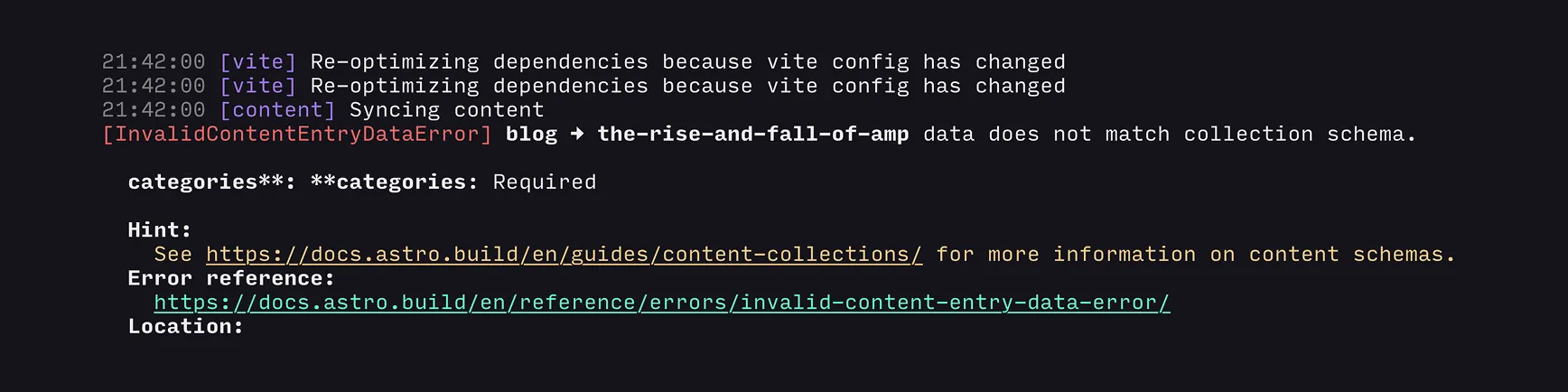
categoires instead of categories, is enough for Astro to stop and name the entry and the missing field.The second is the JavaScript story. We love JavaScript. We have been building Vue and Nuxt applications for years. We also know exactly what JavaScript costs on a marketing site. It is still one of the most expensive resources you can send, and on many company websites a large part of it runs code the visitor never needs. According to the Web Almanac 2025, the median desktop page now loads 708 KB of JavaScript.
“JavaScript is the fastest-growing part of page weight”
Web Almanac 2025, HTTP Archive
Astro takes a different approach. When it builds the site, it turns every component into plain HTML and CSS, and by default it sends no JavaScript to the browser at all. A page made of text, images and layout arrives ready to be read by a browser, with no extra JavaScript to download and process.
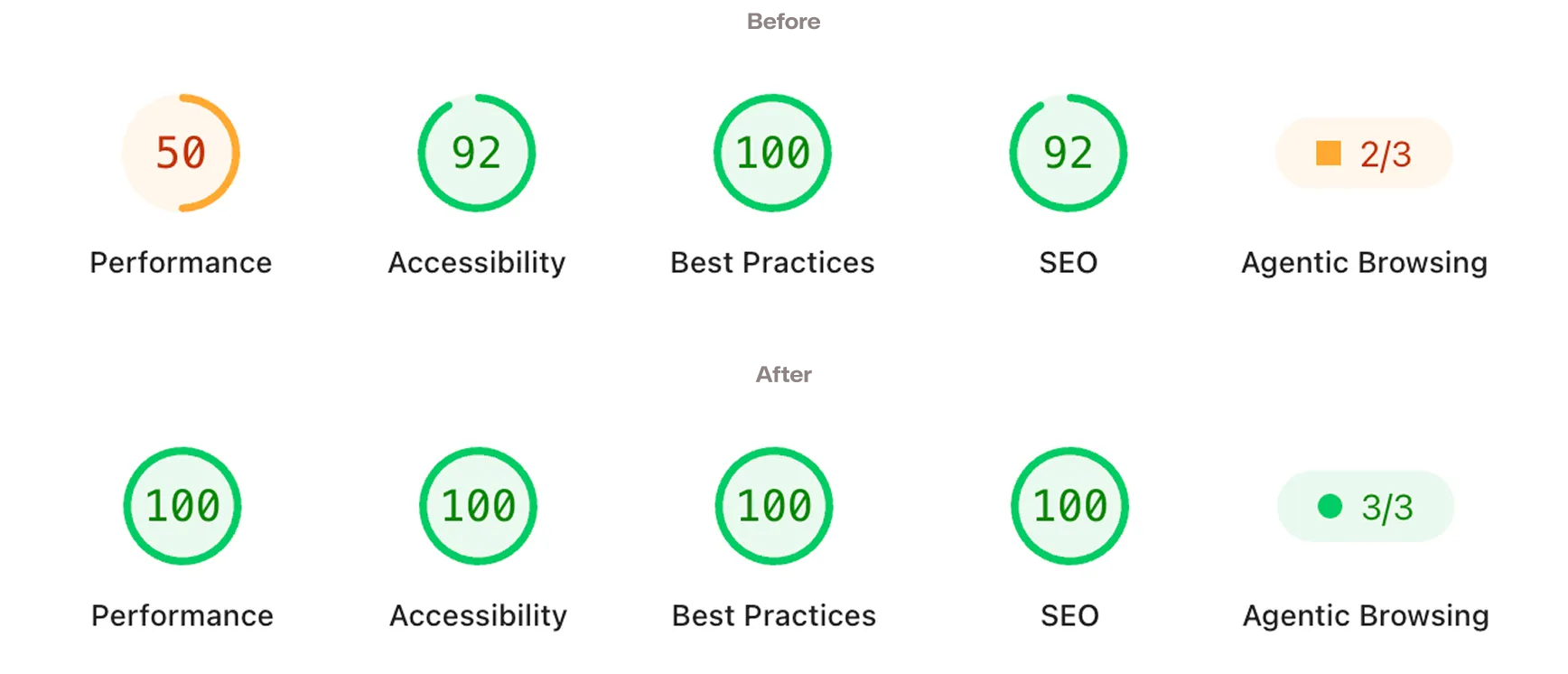
That alone makes a very high PageSpeed Insights score much easier to reach, because there is almost nothing left that could slow the page down. On mobile, coditive.com scores between 98 and 100 for Performance, and 100 for Accessibility, Best Practices and SEO.
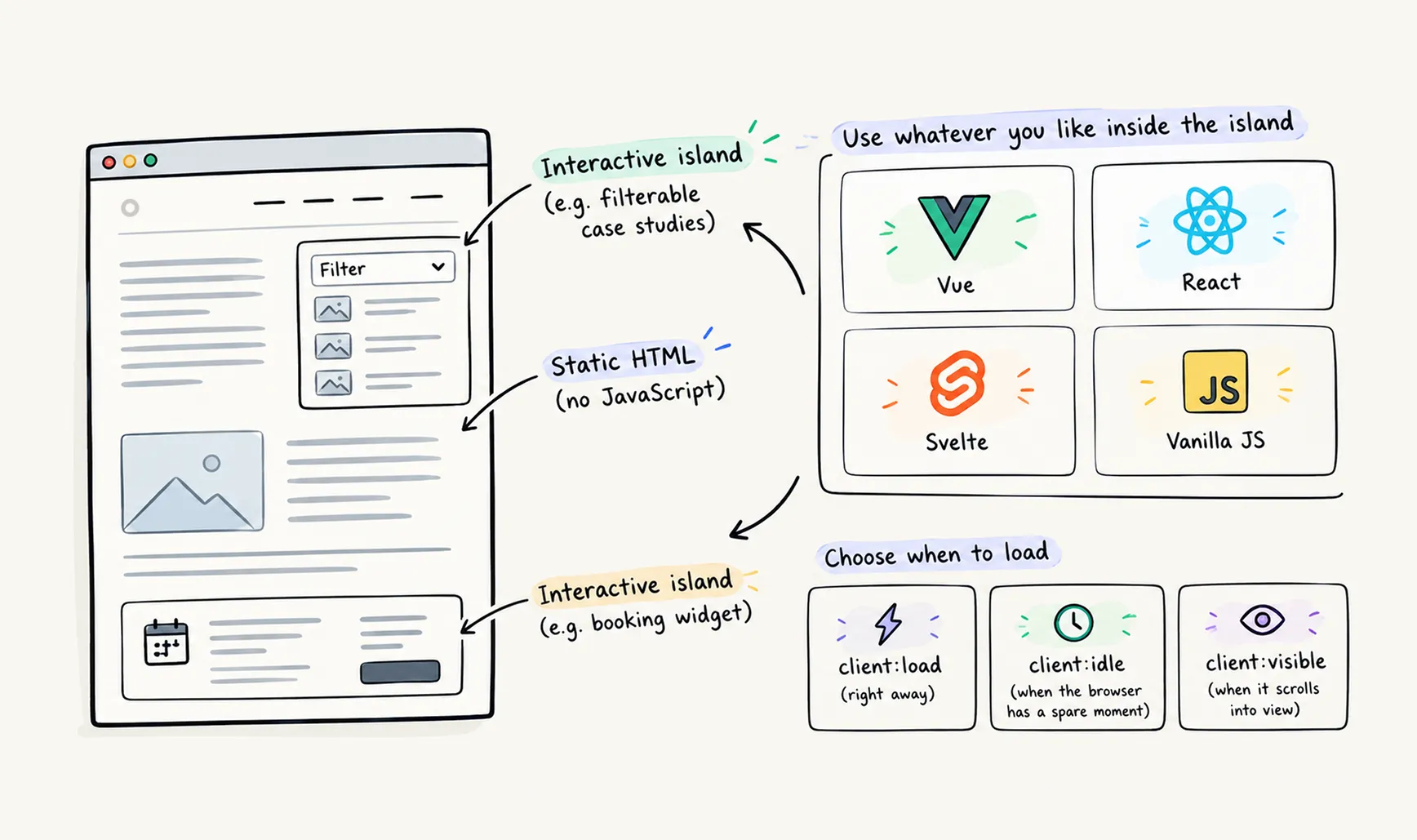
But what if some parts of the page do need to be interactive? A price calculator, a filterable list of case studies, a booking widget. This is where the idea at the heart of Astro comes in: islands architecture.
Picture the page as a sea of static HTML. Here and there are islands: small, separate components that respond to the visitor. Only the islands get JavaScript, and each one loads on its own, so a heavy calculator at the bottom of the page does not slow down the text at the top.
Inside an island you can use whatever you like, from a few lines of plain JavaScript to a full framework such as Vue, React, Svelte, Preact or Solid. You mark the component with a client:* directive and choose when it should load: right away (client:load), when the browser has a spare moment (client:idle), or only when the visitor scrolls down to it (client:visible).
So why not Nuxt? After all, we are an Official Nuxt Partner and use it every week. Nuxt is built for web applications, and it is great at them. But on a Nuxt site, every page loads JavaScript by default, even when it only shows text and images. You can reduce that, but it takes extra work. Astro starts from the opposite side: no JavaScript unless you ask for it. For a company website that is mostly content, that was the better starting point.
This is not a verdict against Nuxt. When a site is full of interaction, like a product configurator, a customer portal or an internal dashboard, Nuxt is still a great fit, because there all that JavaScript actually does something for the visitor.
No cookies
While rebuilding, we made a decision that is much easier to keep in this stack than in the old one: the site sets no cookies and runs no cookie-based tracking. The footer says so, and we mean it. Every script tag on the site is declared in the repository, so a new one cannot appear without a commit.
That meant a few concrete choices:
- The forms use Cloudflare Turnstile instead of reCAPTCHA.
- The Clutch review widget was removed because it set a cookie and broke under ad blockers - reviews now render from our own content file.
- Analytics is Umami, which is cookieless.
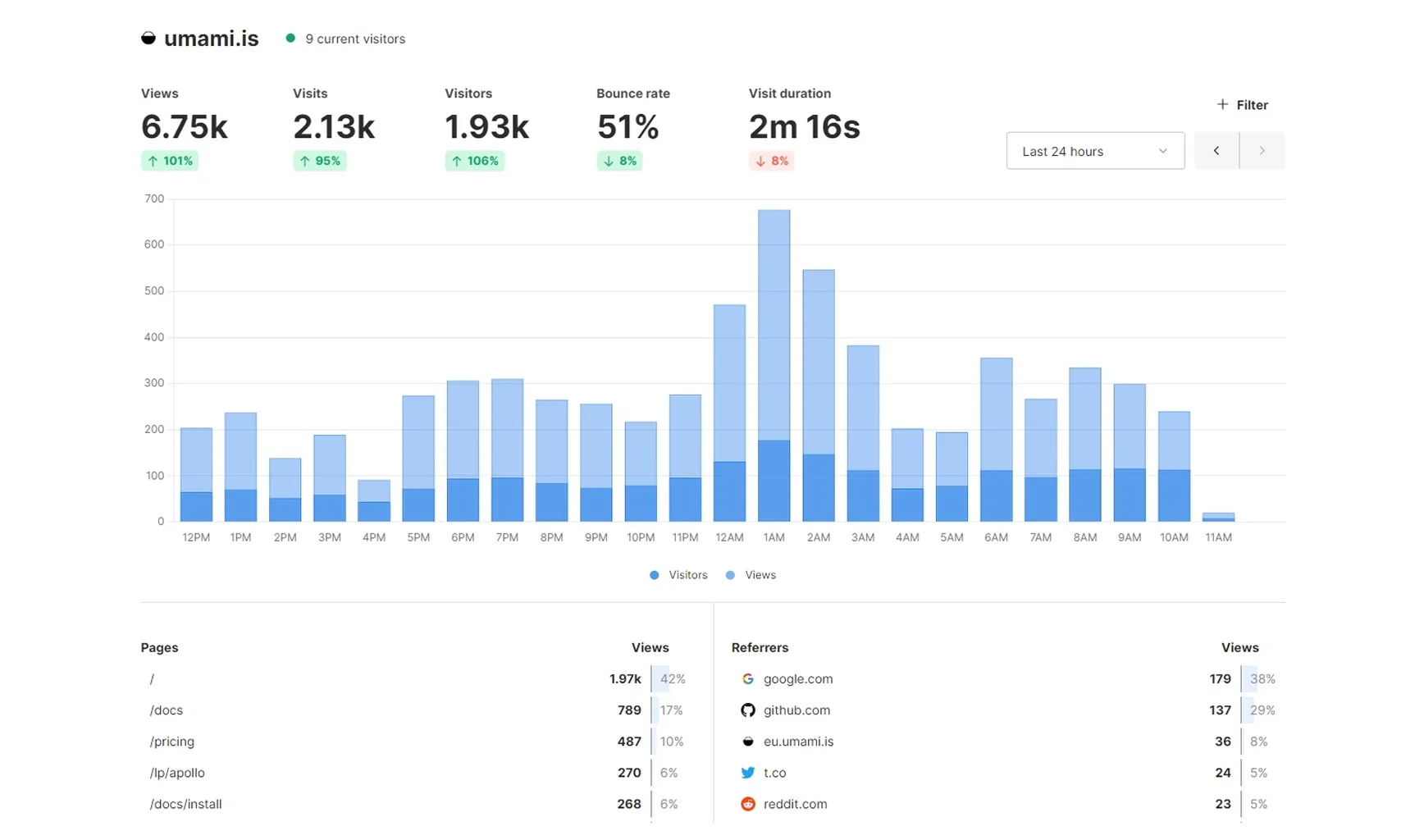
We picked Umami because it sets no cookies and collects no personal data, so there is nothing to ask consent for and no banner to show. Its script is about 2 KB, and the dashboard fits the numbers that matter on one screen: views, visitors, where they come from and which pages they read. We use the hosted Umami Cloud, so there is no analytics server of our own to keep updated. Umami also has an open-source version, so anyone can check what the script collects, and we can move to our own server whenever we want.
Speaking of cookies, the one exception is YouTube. Video embeds are a click-to-load facade, the thumbnail is fetched at build time, and nothing is sent to YouTube until a visitor opts in. The consent lives in localStorage and can be revoked on our cookies page.
We also wrote a rule into the project guidelines: any new dependency that sets a cookie or tracking state means stopping and updating the privacy policy first.
Easy for AI to work with and to read
We do not hide that AI helps us write. It does not write our articles for us, though. What it does is the work around the writing: it catches typos and language mistakes in seconds, and it is a good partner for thinking a topic through. We can discuss an idea with it, test an argument, and ask for more context whenever something is unclear.
This is where keeping everything in Markdown pays off again. When we open the whole project in a tool like Claude Code, it has the context of the entire site right away.
It does not need an MCP server, requests to the live site or calls to an API to check whether we have already written about something, or whether a blog post should link to one of our landing pages. It is all there in plain .md files. That makes the work fast, and it uses far fewer tokens than pulling the same content from a live site.
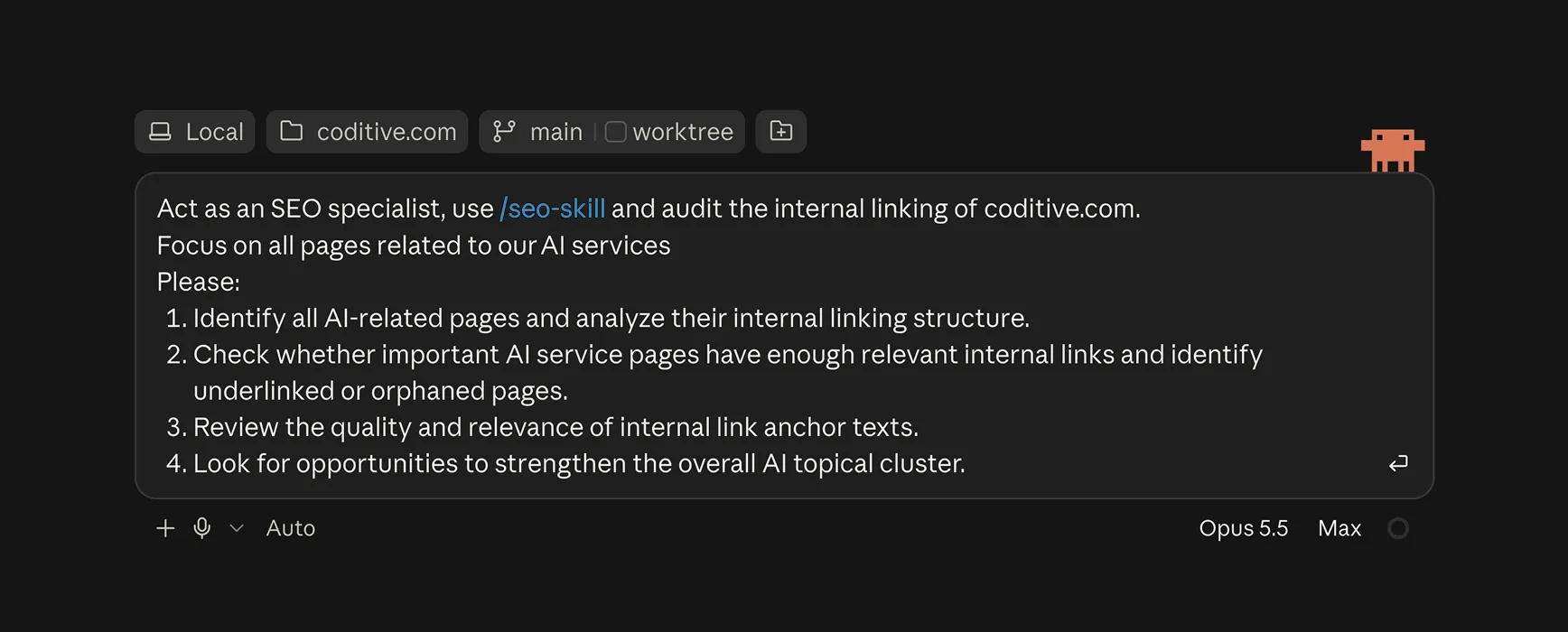
Context is only half of it, though. Seeing every file does not tell an AI tool exactly how we write, how our pages should look, or what we expect from future work. For that we use skills: short instruction files that Claude Code loads when a task needs them, kept in the repository next to the code.
Writing our own skills for the site helped us a lot. We have one for our tone of voice and word choice, one for the design system, one for the structure of our service pages, and one for the animated illustrations on our case studies, along with some publicly available ones. Without them, we would have to explain the same rules in every session. Now they are written down once, and because they live in Git, they are versioned and improved like any other file. That covers the work behind the scenes.
How AI tools read our site
On the public side, the Markdown files that hold our content make coditive.com easy to read for the AI tools anyone can use, like ChatGPT, Perplexity or Claude.
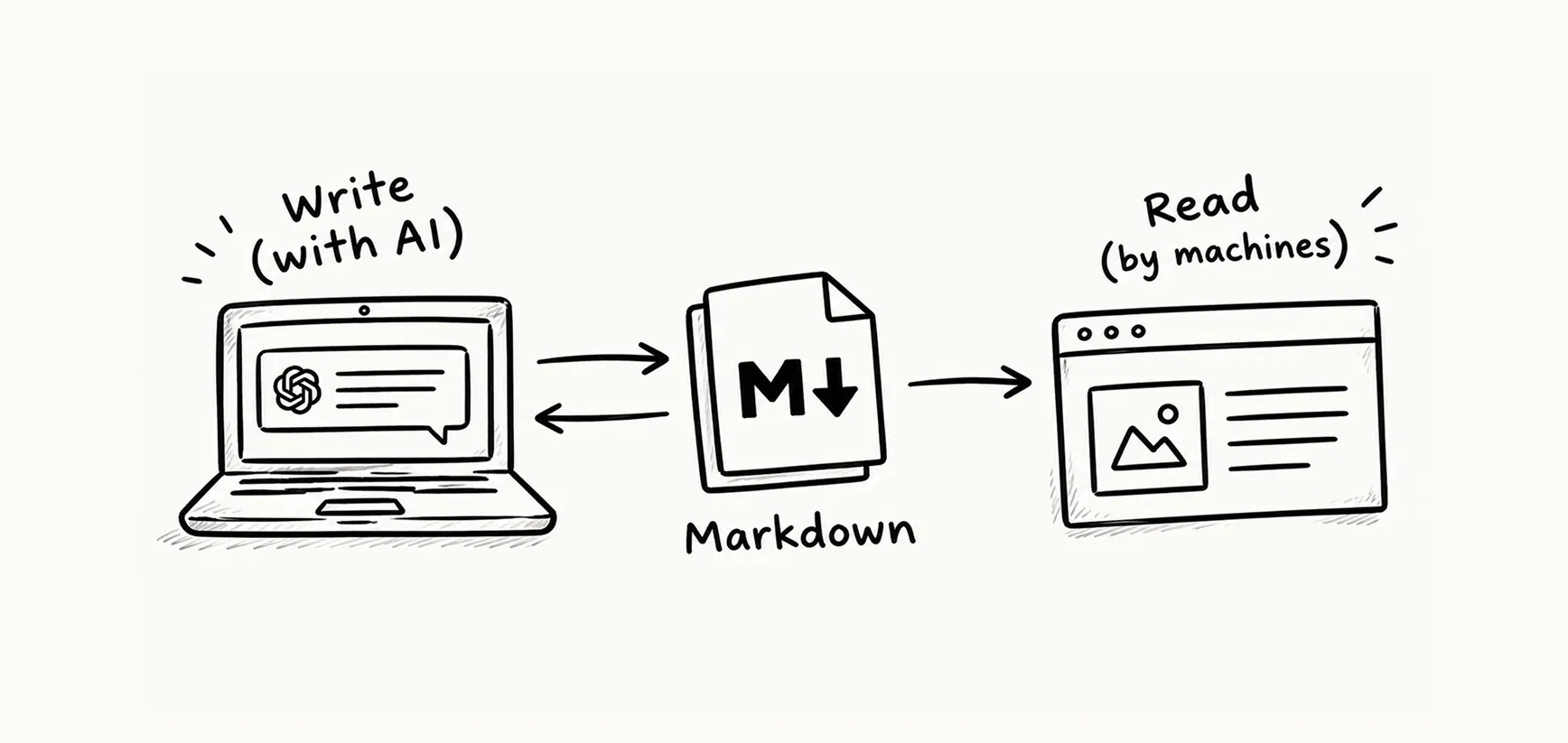
Because everything is Markdown already, serving it to machines was a short step. Every page on coditive.com has a publicly available Markdown twin: send a request with the Accept: text/markdown header and a small Cloudflare Worker returns the page as Markdown instead of HTML. That is the content negotiation pattern I described in how to make a website readable by AI, applied to our own site.
curl -H "Accept: text/markdown" https://coditive.com/blog/The site also publishes llms.txt, RSS, a sitemap, and Schema.org JSON-LD generated in one place for all pages. I do not think llms.txt moves the needle much yet, but when it is generated from the same collections as the pages, it costs nothing to keep.
If you want to know how ChatGPT or Perplexity actually see your site, that is what our technical GEO audits are for.
Security: less to attack, less to patch
Security was not the reason we moved, but it got better along the way.
Every time someone opens a page on a WordPress site, the server runs PHP code from WordPress core, the theme and the plugins, and a vulnerability in any of them is a way in. Patchstack’s State of WordPress Security in 2026 counts 11,332 new vulnerabilities in the WordPress ecosystem in 2025, 91% of them in plugins, and the most heavily exploited ones typically come under attack about five hours after they are made public. What those numbers mean for a site owner, and what a properly maintained WordPress site looks like now, is a post of its own: WordPress security in 2026: five hours to the first attack.
On our website, where almost everything is static content, most of that attack surface is simply gone. There is no PHP, no database, no admin login and no plugins running on the server. Because visitors get prebuilt HTML, there is nothing to patch in the middle of the night.
Static does not mean invulnerable, though. The forms still need validation and spam protection, the build pulls in npm packages that have to be kept up to date, and the Cloudflare and GitHub accounts need strong protection. But the list is short and predictable, which is a very different job from keeping an eye on WordPress core, a theme and dozens of plugins, all running on a live server.
How the migration actually went
The whole migration took about three months, and nobody worked on it full time. From the content export to version 1.0.0 on July 14, it took 186 commits and 12 pull requests, squeezed in around client projects.
The timing helped. Astro 6 shipped in March 2026 with a built-in Fonts API and first-class support for Cloudflare Workers, and two months earlier the Astro team had joined Cloudflare. Hosting on Workers suddenly looked less like a bet and more like the natural choice.
We also got to try new tools along the way. Design started in Figma, but from mid-April we switched to Claude Design, launched that same month, to test layout and typography variants quickly.
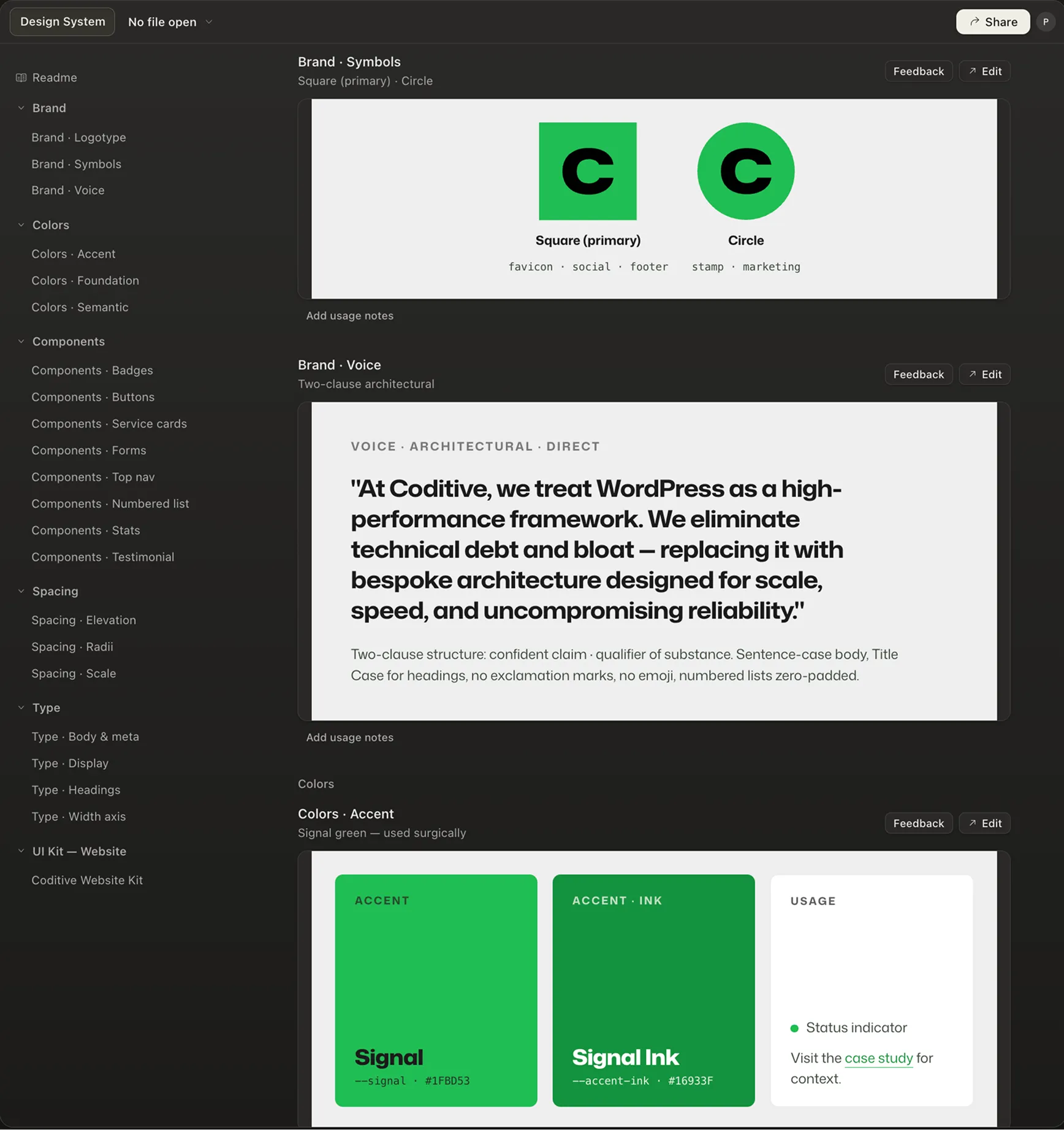
The mechanical work went to Claude Code, with a person reviewing every pull request. The result builds fast: 76 pages plus their Markdown twins and OG images take about 15 seconds.
| Old site (WordPress) | New site (Astro) | |
|---|---|---|
| Content | Posts and blocks in MySQL, edited in the block editor | 103 Markdown and YAML files in Git, 24 typed collections |
| Templates | Sage theme, 50 Blade templates, ACF, custom blocks plugin | 116 .astro components, Tailwind v4 with design tokens |
| Plugins | 8, including SEO, caching, ACF, and llms.txt | 0. SEO meta, JSON-LD, OG images, sitemap, and RSS are generated at build |
| JavaScript | Theme bundle plus plugin scripts | About 12 KB first-party on the homepage |
| Hosting | PHP and MySQL | Cloudflare Workers, static assets, two on-demand endpoints |
| Publishing | Publish button in the admin | Pull request, build, automatic deploy on push |
| Access for AI tools | llms.txt plugin | Markdown twin of every page, llms.txt, WebMCP support planned |
Deployment is almost boringly simple. Nearly everything is prerendered and served from Cloudflare Workers. Only the contact and newsletter forms (built as Astro Actions) run on demand. Every push to main deploys automatically, so the repository does not even have a GitHub Actions file.
What we gave up
The move had a price, and most of it is paid by whoever edits the content.
There is no admin panel. Editing happens in VS Code, Claude Code or on GitHub in the browser. For a team made up mostly of developers, that is a feature. For a marketing team, it can be a wall.
If you want to keep a workflow built on Git and Markdown files, but your editors need something friendlier than a code editor, a Git-based CMS such as Keystatic, Decap or Pages CMS is a good option. It puts a familiar form in front of the Markdown files and commits the changes on the editor’s behalf. The content stays in the repository, versioned and checked by the same schemas as before, and nobody has to learn Git to update a page.
Even with a CMS in front of the files, publishing works differently. In WordPress you press Publish and the change is live. On a static (prerendered) site, saving content is not the same as publishing it: someone has to release a new version of the site, and a build runs before the change appears. On coditive.com, that step is simply merging to main.
When we build sites with this kind of publishing flow, we make a point of preparing the editors, especially those coming from WordPress. Editors who do not know about the extra step will save, wait, see nothing change, and conclude that the site is broken. So we explain it up front and show them when a build is running.
For one client running Strapi with a prerendered Nuxt frontend on Vercel, we built a dedicated Strapi plugin that connects to Vercel: editors publish the site from inside Strapi and see exactly which stage the build is at and whether the new version is already live.
Editing and publishing are only half of the trade-off. The other half is what the site itself can do. A static site is great at serving the same page to everyone, but anything dynamic takes more work: out of the box there are no comments or server-side search, and images live in the repository. For a company site with a blog and a few dozen pages, that is fine. For a portal with thousands of posts and logged-in users, it is a different project.
That is exactly the kind of project where WordPress still shines, and it is why moving our own site did not mean leaving WordPress behind. It is still the right tool when the site is the product and non-technical people edit it every day, or when the business runs on WooCommerce. We wrote about that trade-off in traditional vs headless WordPress, and we still ship custom WordPress builds for clients every month.
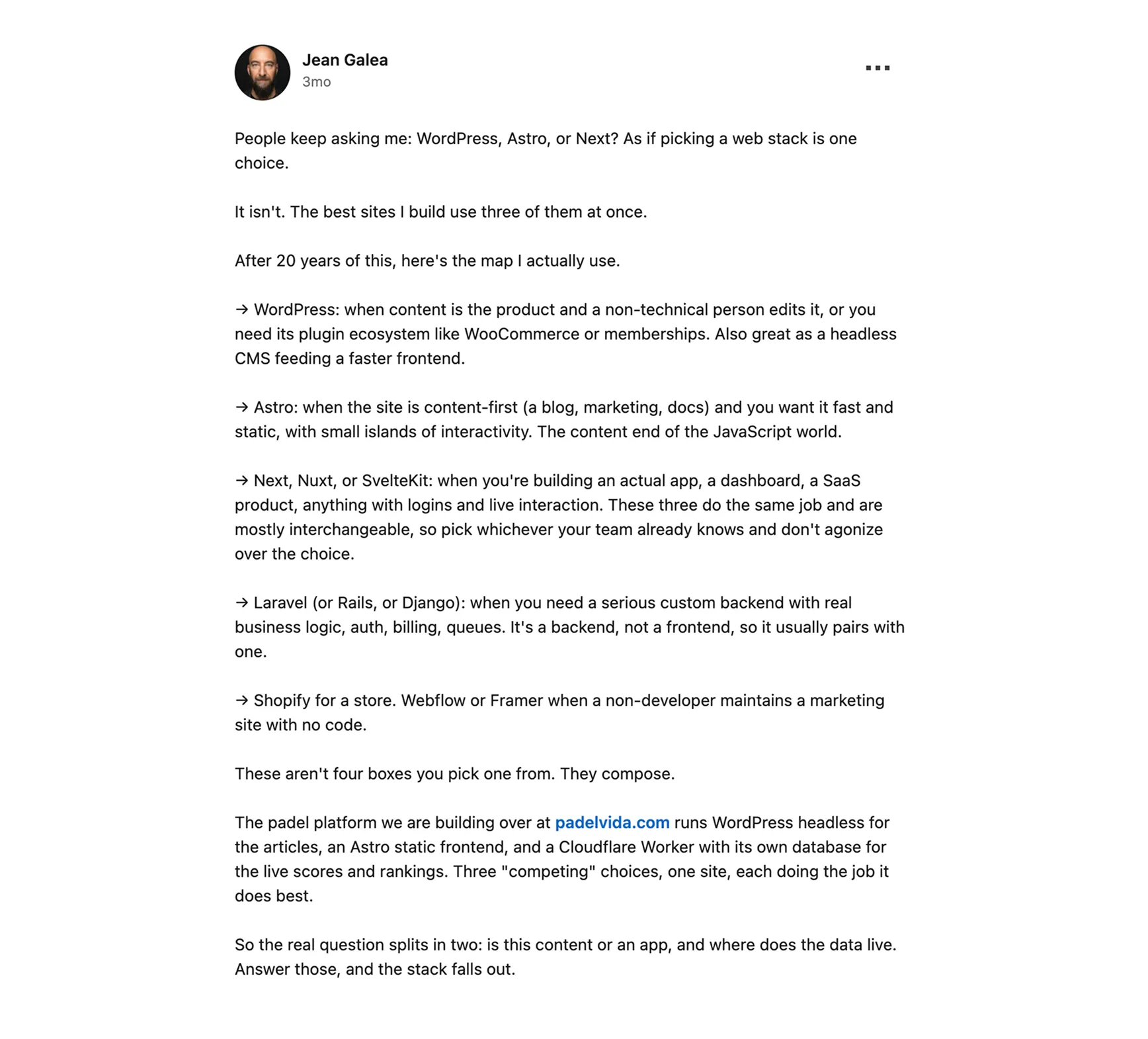
What is more, you do not have to choose between WordPress and Astro at all. WordPress can run headless as the CMS, with Astro rendering the frontend. Jean Galea put it well in a LinkedIn post this year: these tools compose. The padel platform Jean’s team is building runs headless WordPress for articles, an Astro frontend, and a Cloudflare Worker for live data. For our own site, the right combination was Markdown files and Astro.
Should you migrate from WordPress to Astro?
The real question is not whether to move from WordPress to Astro, but whether you want to move from WordPress to Markdown files. They are plain text that any AI tool can read and edit directly, they give it the context of your whole site without an API in between, and every change is versioned in Git.
If the people who edit your site would rather ask an AI tool to update a page than click through wp-admin, or are happy with a simple Git-based CMS, the answer is probably yes. If they publish every day and expect Publish to mean live, or your site depends on dynamic features and WordPress plugins, the answer is probably no. That is fine too: keep WordPress and the admin panel your team already knows.
If you are not sure, start where we started: with the content. Export your site to Markdown before you choose a framework. It is a small step that is easy to undo, and it will quickly show whether your team actually enjoys working this way.
Once your content is in Markdown, choosing the framework gets much easier. For a content-first site, we would pick Astro again: it treats Markdown files as typed content, checks them on every build, and sends no JavaScript unless a page really needs it.
If you want a second opinion on your own site, talk to us. And if the honest answer is that you should keep WordPress, we will tell you that too.